Privnote alternatives: 7 self-destructing note tools compared
Privnote made one-time notes popular, but it isn’t the only option. We compared seven tools on what matters: who can read your secret, how long it lives, files, passwords and price.
The short answer
- Want the simplest swap for Privnote, with files and read tracking, free? GoneNote.
- Want to run it on your own server? PrivateBin or Yopass (open source, encrypted in the browser).
- Need audit logs and team features? Password Pusher.
- Already use Bitwarden? Bitwarden Send.
Comparison table
Based on each project’s own website and documentation, checked in November 2026. Features change, so check the vendor before relying on a detail.
| GoneNote | Privnote | Onetime Secret | Password Pusher | PrivateBin | Yopass | Bitwarden Send | |
|---|---|---|---|---|---|---|---|
| Encrypted in your browser | Yes (AES-256-GCM) | Yes, per its homepage | Docs describe encryption in transit and at rest | AES-256; docs don’t say browser-side | Yes (AES-256-GCM) | Yes (OpenPGP) | Yes |
| Read once, then destroyed | Yes, up to 10 views, or unlimited until expiry | Yes | Yes | By views or time | “Burn after reading” option | Yes | Optional view limit |
| Expiry if unread | 1 h · 24 h · 7 d · 30 d | Yes | Yes | Yes | Yes | Yes | Up to 31 days |
| Extra password | Yes (5 wrong tries destroy it) | Yes | Passphrase | Passphrase | Yes | Not documented | Yes |
| Files | Up to 10 MB, free | No | No | Yes | If the instance enables it | Yes (over 1 MB needs business licence) | Premium, up to 500 MB |
| See if it was read / delete early | Yes, private tracking link | Email when destroyed | Sender can burn it | Audit log, revoke | No | No | Yes, in the app |
| Account needed | No | No | No (accounts optional) | Free sign-up (hosted) | No | No | Yes (sender) |
| Self-host / open source | No | No | Yes | Yes | Yes | Yes (Apache 2.0) | Bitwarden is open source |
GoneNote
GoneNote works like Privnote: write a note, get a link, and the note is destroyed after it’s read. Everything is encrypted in your browser with AES-256-GCM, and the key stays after the # in the link, so our server only ever stores data it can’t decrypt.
What it adds: files up to 10 MB, a choice of up to 10 views (or unlimited until it expires), an optional password that destroys the note after five wrong tries, a “warn before showing” screen so link previews can’t burn it, and a private link to see if your note was opened or to delete it early. The note editor and reader run on a separate secure site (secure.gonenote.com) that loads no third-party code; the free service shows ads only on the main site.
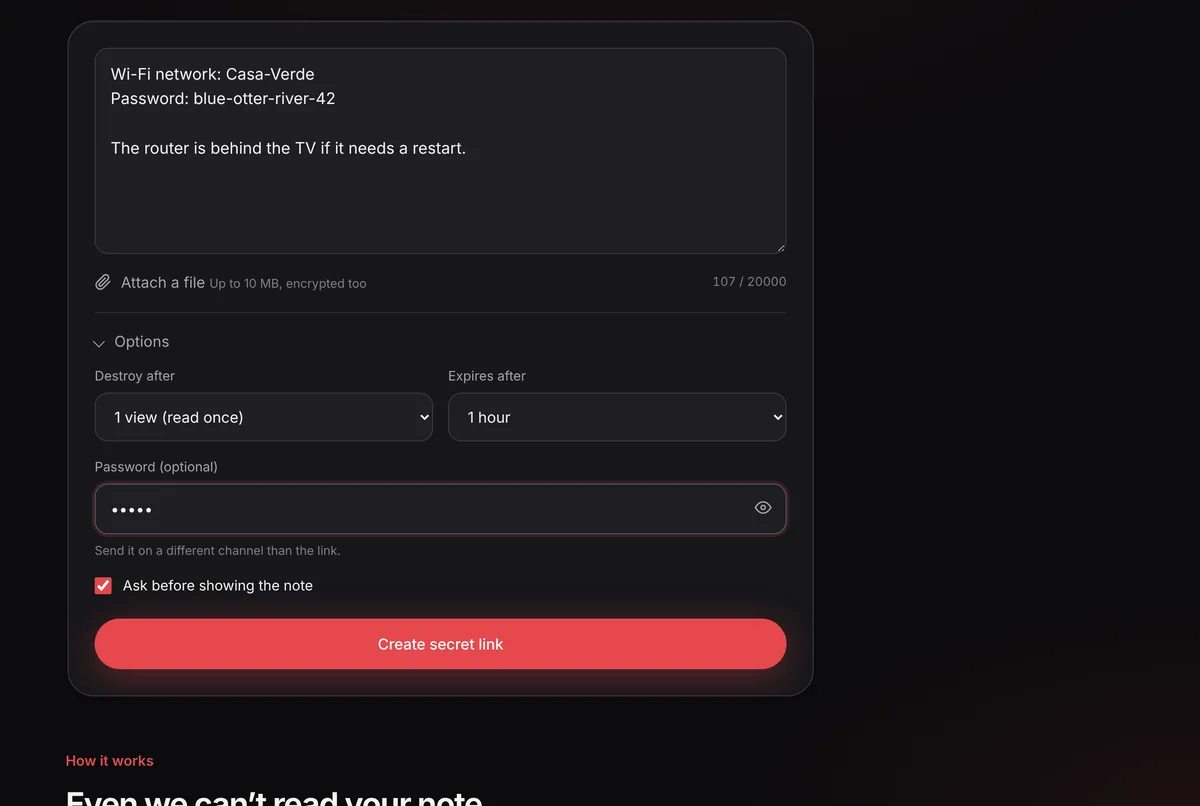
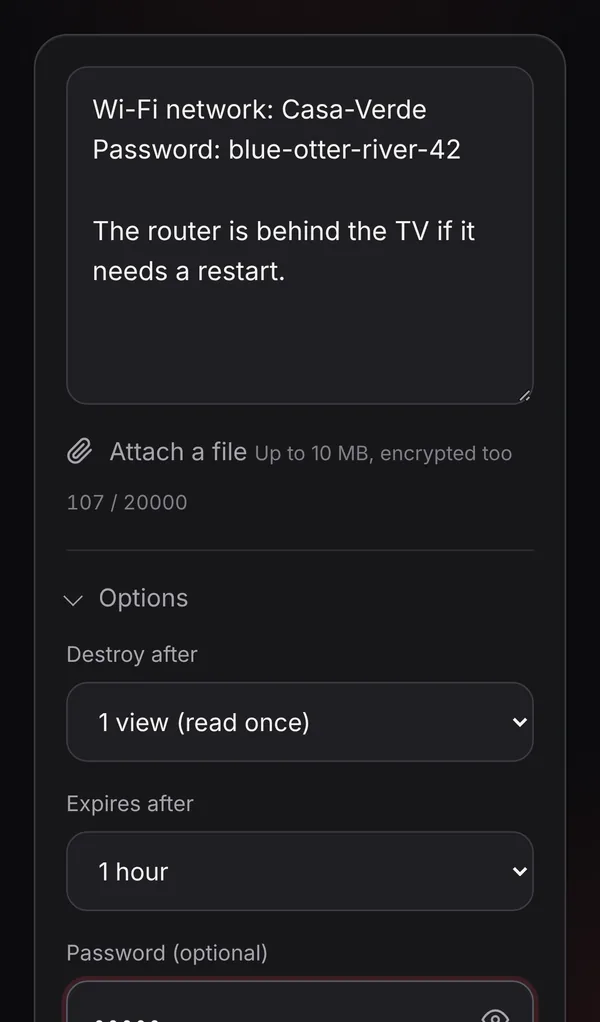
Best for: anyone who wants a free, no-account Privnote replacement with files and tracking.
Privnote
The original. Its homepage says notes are encrypted in your browser before being stored and self-destruct after being read. Options include a manual password, an expiry and a notification when the note is destroyed. It’s text-only and doesn’t offer files.
Best for: quick text notes where you don’t need files or tracking.
Onetime Secret
A long-running service for one-time secrets with an optional passphrase. The sender can burn a secret before it’s viewed, and the project can be self-hosted. Its security page describes encryption in transit and at rest; it doesn’t describe browser-side encryption, so the service is designed to be trusted with the plaintext.
Best for: teams that want a self-hostable one-time secret service.
Password Pusher
An open-source tool to push text, passwords, files, URLs and QR codes that expire by time or number of views, with passphrases and audit logs showing who viewed what. It has a free open-source edition you can self-host, plus hosted plans for individuals, teams and organisations in US and EU regions.
Best for: IT and support teams who need audit trails.
PrivateBin
A self-hosted, open-source “zero-knowledge” pastebin: pastes are encrypted in the browser with AES-256-GCM, with optional burn-after-reading, expiry, password and (if the operator enables it) file uploads and discussions. You run it yourself or use a public instance run by someone else.
Best for: technical users who want to host their own.
Yopass
An open-source (Apache 2.0) tool that encrypts secrets in the browser with OpenPGP and keeps the key in the URL fragment. Secrets can be one-time and expire automatically. The public demo is meant for testing; the project recommends self-hosting for sensitive data. File uploads above 1 MB are part of its business licence.
Best for: companies that want to self-host a simple, audited tool.
Bitwarden Send
Part of the Bitwarden password manager. Sends are end-to-end encrypted, can have a password and a view limit, and are deleted after at most 31 days. Text Sends hold up to 1,000 characters; file Sends (up to 500 MB) are a premium feature. You need Bitwarden to create one; recipients just open the link.
Best for: people already using Bitwarden.
How to choose
- Who must not be able to read it? If the answer includes the service itself, pick a tool that encrypts in the browser (GoneNote, PrivateBin, Yopass, Bitwarden Send).
- Text or files? For files without paying, GoneNote handles up to 10 MB.
- Do you need proof it was read? GoneNote’s tracking link, Password Pusher’s audit log or Bitwarden’s app.
- Must it run on your own servers? PrivateBin, Yopass, Onetime Secret or Password Pusher.
Sources
- Privnote homepage
- Onetime Secret: Security & Trust
- Password Pusher: features
- PrivateBin on GitHub
- Yopass on GitHub
- Bitwarden: About Send and Send lifespan
Frequently asked questions
Is GoneNote affiliated with Privnote?
No. GoneNote is an independent service run by CLICK PERFORMANCE S.R.L. Privnote and the other product names are trademarks of their owners.
Which Privnote alternative is the most private?
Look for tools that encrypt in your browser and keep the key out of the server, such as GoneNote, PrivateBin and Yopass. With those, the service stores only data it cannot decrypt. If you need full control, self-host PrivateBin, Yopass, Onetime Secret or Password Pusher.
Which alternative can send files?
GoneNote (up to 10 MB, free), Password Pusher, Bitwarden Send (premium, up to 500 MB), PrivateBin (if the instance enables it) and Yopass (larger files need its business licence).
Do I need an account?
Not for GoneNote, Privnote, Onetime Secret’s basic use, PrivateBin or Yopass. Bitwarden Send is created from a Bitwarden account. Password Pusher’s hosted service has free accounts and paid tiers.